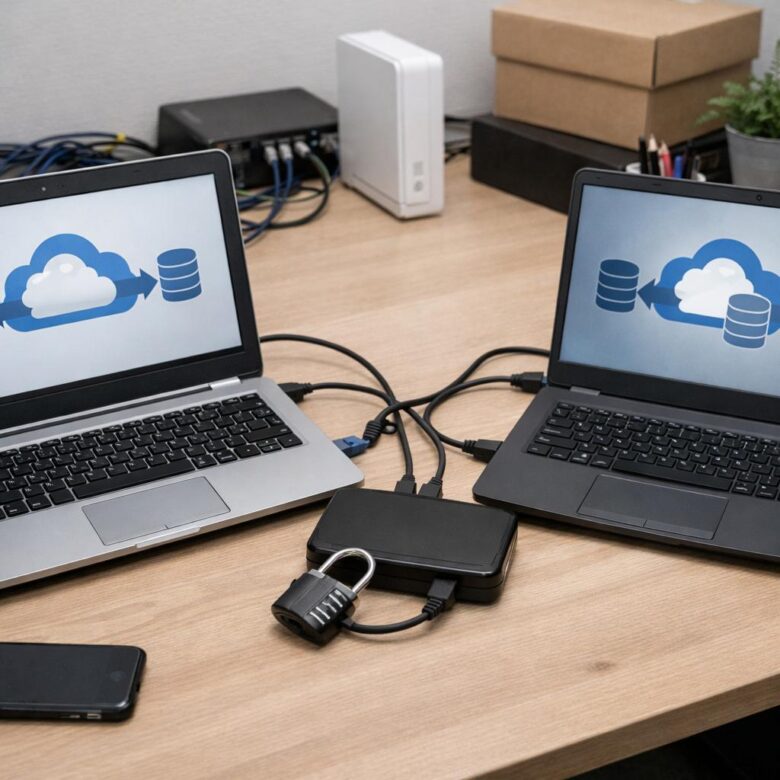
What if your LMS migration exposed the very training assets that give your organization its edge?
Moving proprietary course content, learner records, certifications, assessments, and analytics between cloud-based LMS providers is not just a technical export-import task. It is a controlled transfer of intellectual property, regulated data, and operational continuity.
A secure migration requires more than encryption and backups; it demands clear data ownership, access governance, vendor due diligence, auditability, and a rollback plan before anything moves.
This article outlines how to migrate proprietary training data between cloud LMS platforms without compromising confidentiality, compliance, or learner trust.
What Makes Proprietary LMS Training Data High-Risk During Cloud Migration
Proprietary LMS training data is high-risk because it often combines intellectual property, employee records, customer education history, assessment results, and compliance evidence in one system. During a cloud migration, that data may pass through export files, staging databases, API connectors, backup folders, and third-party migration services, creating more places for unauthorized access or accidental exposure.
The real issue is not just the LMS content itself. A SCORM package may include licensed videos, internal sales playbooks, product documentation, or regulated safety training that gives competitors or attackers valuable insight. In one common scenario, a company moving from Moodle to Canvas LMS exports course archives to shared cloud storage, but forgets to restrict permissions on the temporary migration folder. That short window can be enough to create a serious data breach risk.
High-risk areas usually include:
- User identity data: names, emails, roles, departments, completion records, and certification history.
- Confidential course assets: proprietary training videos, PDFs, exams, answer keys, and onboarding materials.
- Compliance records: audit trails, mandatory training logs, and evidence needed for legal or industry requirements.
Security teams should treat LMS migration like any other cloud data protection project, not a simple content transfer. That means using encryption, role-based access control, data loss prevention tools, secure API authentication, and documented retention policies. Platforms such as AWS S3, Microsoft Azure, or Google Cloud can be secure, but only when permissions, logging, and lifecycle rules are configured correctly before migration begins.
How to Securely Map, Encrypt, Validate, and Transfer LMS Data Between Providers
Start with a field-level data map before exporting anything. Match users, courses, enrollments, SCORM/xAPI records, certificates, completion dates, custom fields, and audit logs between the old LMS and the new platform. In real migrations from systems like TalentLMS to Moodle or Docebo, custom completion rules are often where errors appear first.
Use a controlled export process with role-based access, MFA, and a temporary admin account that is disabled after migration. Encrypt files at rest with AES-256 and in transit with SFTP, HTTPS, or a secure cloud storage service such as AWS S3 with server-side encryption and access logging enabled. Avoid emailing CSV files; it is still one of the most common and preventable LMS data security mistakes.
- Map: Create a crosswalk for user IDs, course IDs, learning paths, grades, and certificate metadata.
- Validate: Run test imports with sample records and compare completion status, timestamps, and transcript history.
- Transfer: Use encrypted APIs, SFTP, or vendor-approved migration tools with clear rollback steps.
Before the final cutover, run checksum verification, duplicate record checks, and permission reviews. For example, if employee training records are tied to compliance reporting, confirm that managers can only view their assigned teams after import. This protects sensitive HR data and reduces the cost of post-migration cleanup.
Keep an immutable backup of the original export for a defined retention period, then securely delete staging files. A clean audit trail matters, especially for regulated training programs involving healthcare, finance, cybersecurity awareness, or enterprise compliance management.
Common LMS Data Migration Mistakes That Expose IP, Learner Records, and Compliance Gaps
One of the most expensive LMS data migration mistakes is exporting everything “as is” without classifying what is proprietary training content, personally identifiable information, certification history, or regulated learner records. In real projects, It is common to see SCORM packages moved with hidden source files, instructor notes, and unused media assets still attached, which can expose intellectual property during vendor handoff or cloud storage transfer.
Another common issue is relying on spreadsheets and unsecured file-sharing links for user data migration. A CSV containing employee IDs, course completion records, assessment scores, and manager comments should not be passed around through email or open cloud folders; use encrypted transfer methods, access logs, and role-based permissions in platforms like Microsoft SharePoint, AWS S3, or the migration tools provided by the new LMS vendor.
- Skipping data mapping: Misaligned fields can turn active certifications into expired records or attach learners to the wrong compliance training path.
- Ignoring retention rules: Moving old training data without reviewing GDPR, HIPAA, SOC 2, or industry audit requirements can create unnecessary compliance risk.
- Failing to test permissions: Imported courses may become visible to contractors, customers, or regions that should not access proprietary modules.
A practical safeguard is to run a pilot migration with a limited dataset before the full LMS migration service begins. For example, migrate one department, validate course access, transcript accuracy, completion certificates, and reporting dashboards, then fix gaps before moving sensitive enterprise training content at scale.
Also, get written confirmation on encryption, backup retention, data deletion, and breach notification terms before signing off. The cheapest LMS migration cost can become very expensive if learner records or proprietary courseware are exposed during the move.
Summary of Recommendations
Secure LMS migration is ultimately a governance decision, not just a technical handoff. The right provider should prove that your proprietary training assets remain protected before, during, and after transfer.
Practical takeaway: choose a migration path that combines contractual safeguards, encrypted transfer, access controls, validation checks, and post-migration cleanup. Do not rely on vendor assurances alone; require documented procedures and audit evidence.
- Prioritize providers with transparent security controls and data ownership terms.
- Test migration with a limited dataset before moving critical content.
- Confirm deletion, retention, and rollback responsibilities in writing.

RPG Gamitrix Editorial Team publishes practical, source-based guides about enterprise learning, professional certifications, gamification, learning management systems, and B2B educational technology.